“Settings” Tab
On the “Settings” tab, you can make selected controller settings from the Web-Based Management for one or more controllers at the same time.
This tab appears only when the “Controller“ entity is selected.
This tab contains the following groups:
- “WBM” group:
The “WBM” group is used for making a wide variety of settings at various levels. This group has specific subsections.
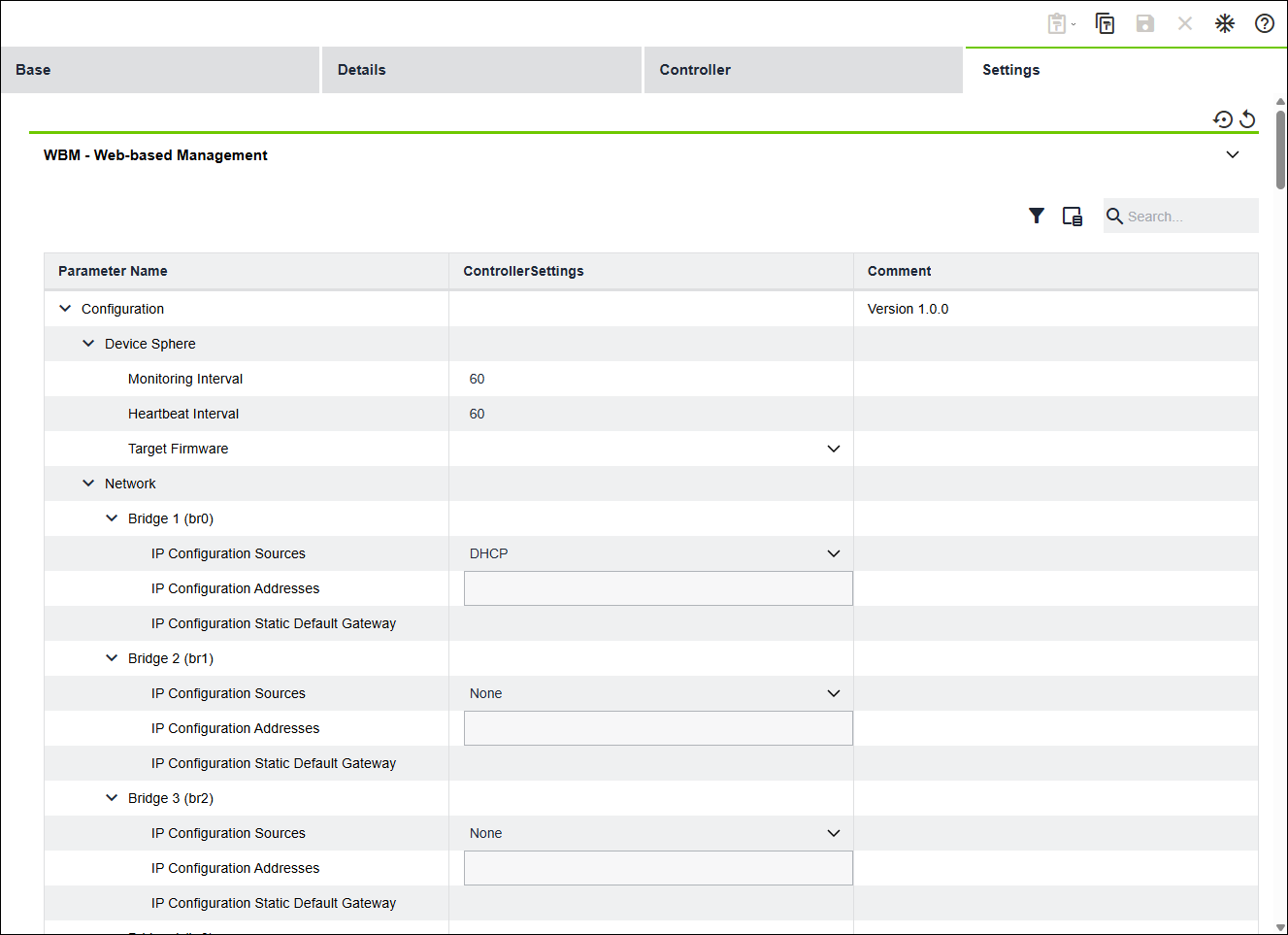
Designation | Description | |
|---|---|---|
Web-Based Management | ||
Parameter Name | Shows the name of the parameter | |
Controller Settings | Shows the target value of the parameter Note: | |
Comments | Shows added comments | |
Tags | Shows the tags of parameters | |