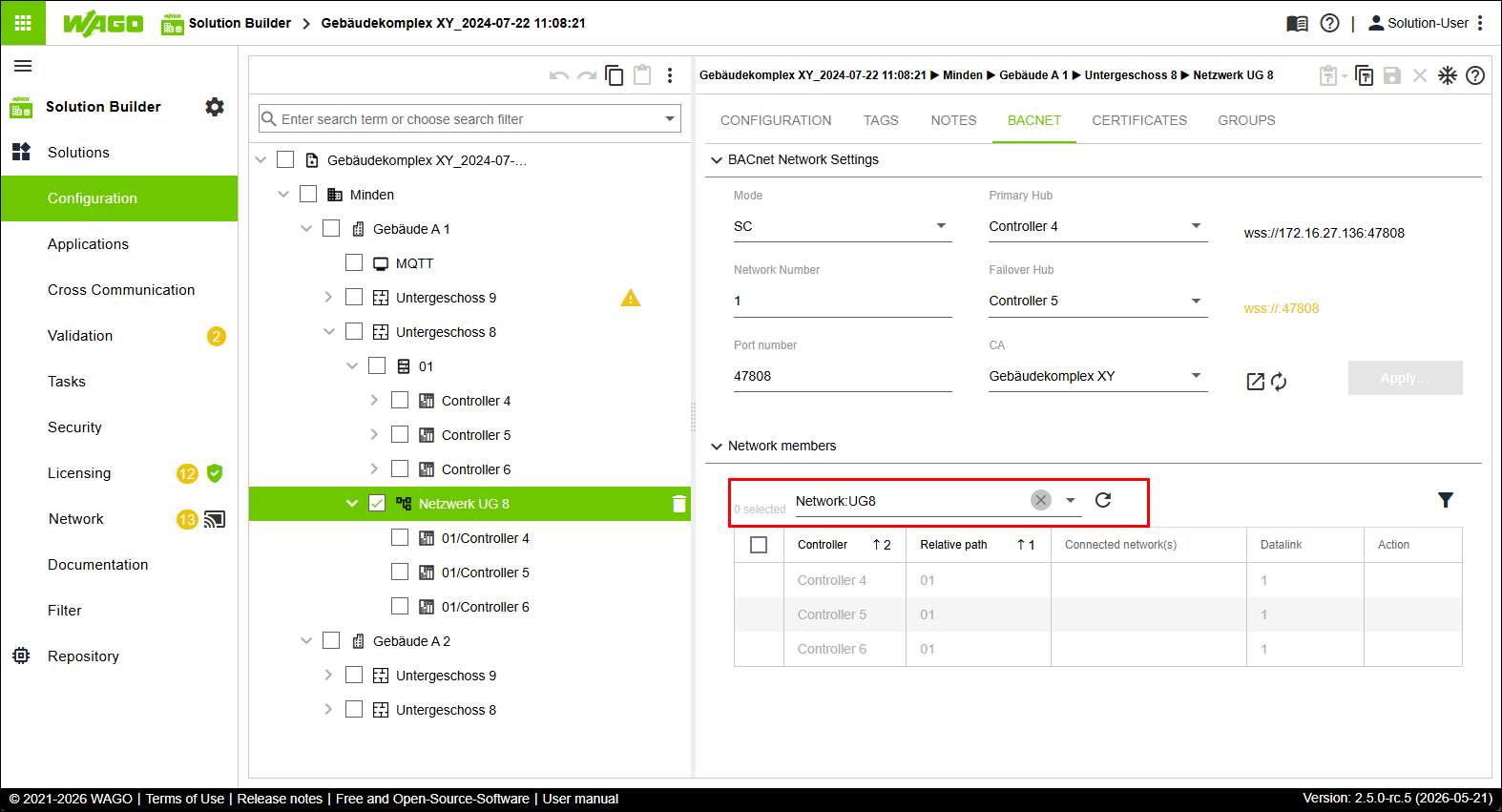
Creating a Second BACnet/SC Network and Adding Entities Automatically
- In the tree structure, select the first entity of type “Building” and open the structure below it.
- Under the second entity of type “Floor,” create an entity of type “Network.”
(Optional: The “Network” entity can also be created in other locations in the upper part of the tree structure.) - Click the “CONFIGURATION” tab.
- Name this entity “Network UG 8.”
- Click the “TAG” tab.
- Define a new tag Network:UG8.
- Click the “BACNET” tab.
- In the “Network Participants” area, the defined tag Network:UG8 is already preselected as the filter by default.
- In the tree structure, select the entities of type “Controller” that you want to add to the “Network UG 8” entity.
- Assign this tag to all entities of type “Controller” that you want to include in the “Network Participants” area.
- Click
 .
. - The controllers are added to the network.
- The controllers are referenced in the tree structure under “Network UG 8.”
- The controllers are listed in gray font because they were added automatically.
- From the “Mode” drop-down menu, select the SC option.
- From the “Primary Hub” drop-down menu, select the controller you want to designate as the primary hub.
- From the “Failover Hub” drop-down menu, select the controller you want to designate as the failover hub.
- Click [Apply].
- All the settings you made are written to the corresponding controllers.
- The second network is configured.