“BACnet” Tab
On the “BACnet” tab, you can make specific network settings for BACnet.
This tab only appears if the “Network” entity is selected.
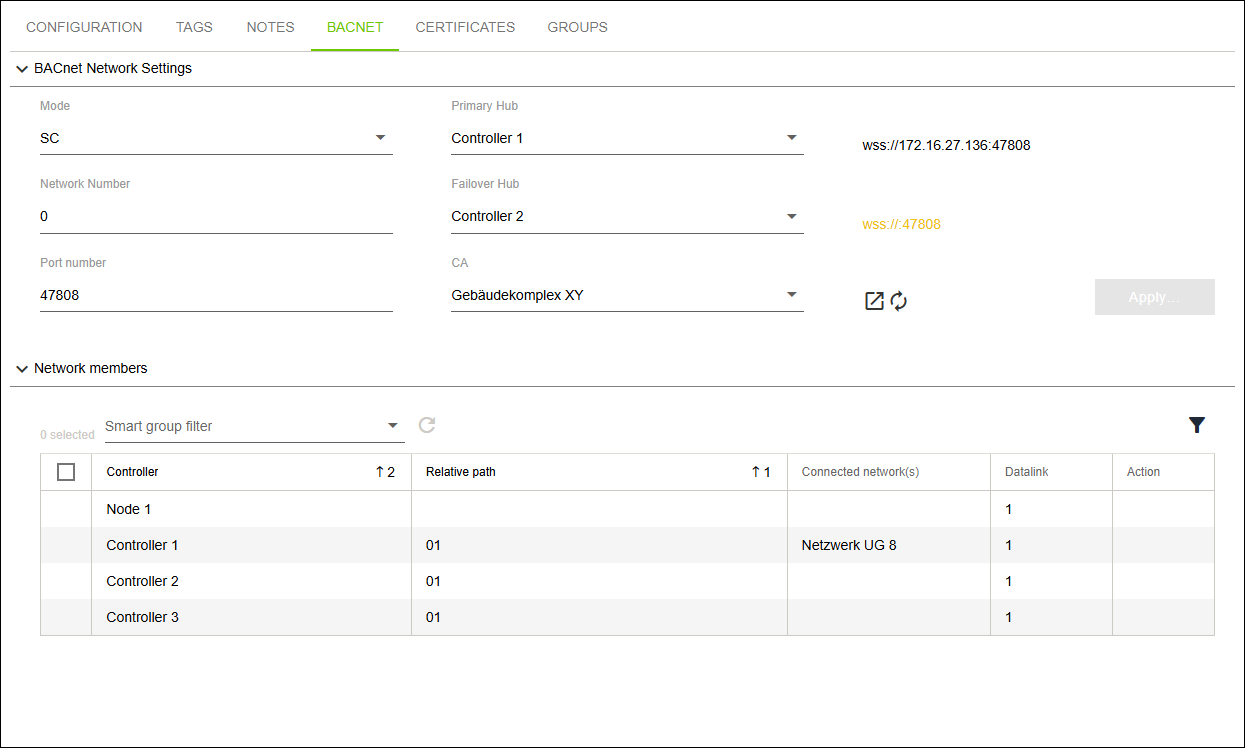
Designation | Description | |
|---|---|---|
BACnet Network Settings | ||
Mode | Here you can select the mode for the network that is to be created:
| |
Network Number | Here you can enter the network number. | |
Port Number | Here you can enter the port number. | |
Primary Hub | Here you can select the controller to use as the primary hub. | |
Failover Hub | Here you can select the controller to use as the failover hub. | |
CA | Here you can select the “root CA” certificate from the root element. | |
Network Participants | ||
Filter for Smart Groups | For all network participants, this allows you to select a Network:* tag that has been created in advance. | |
Controllers | This lists the controllers that are available as network participants. | |
Relative Path | This lists the corresponding relative paths. | |
Connected Network | This lists the corresponding relative paths. | |
Datalink | This lists the corresponding datalinks. | |
Action | Here you can revoke network participant status. | |
Section Creating and Linking BACnet/SC Networks explains in detail how to create a BACnet/SC network.