Start View
The Start view appears immediately after the Software is launched and serves as a starting point for all other activities.
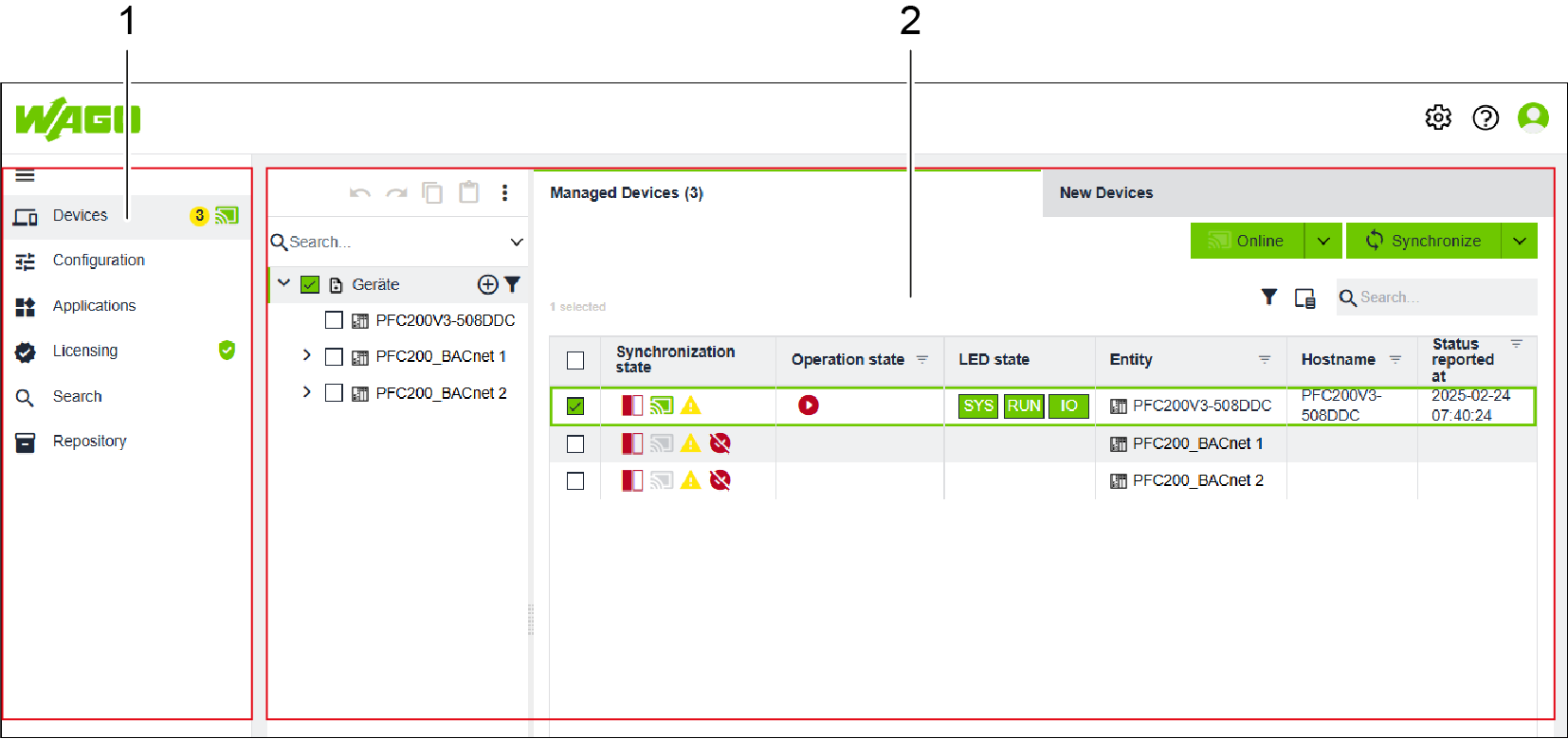
Position | Designation | Description |
|---|---|---|
1 | Side Menu | You can find further information in 8 Side Menu. |
2 | Workspace | You can find further information in 8 Workspace. |