Generating Server Certificates and Synchronizing with Connected Controllers
In applications, existing networks can be protected by server certificates. The following steps provide an example of creating an MQTT network that incorporates this security aspect. For this purpose, protected communication between a server and an external communication partner (“node”) is created and put into operation.
- You need to have already created a solution that contains at least two entities of type “Controller.”
- Open your existing solution.
- In the “Solutions” menu, click the “Configuration” menu item.
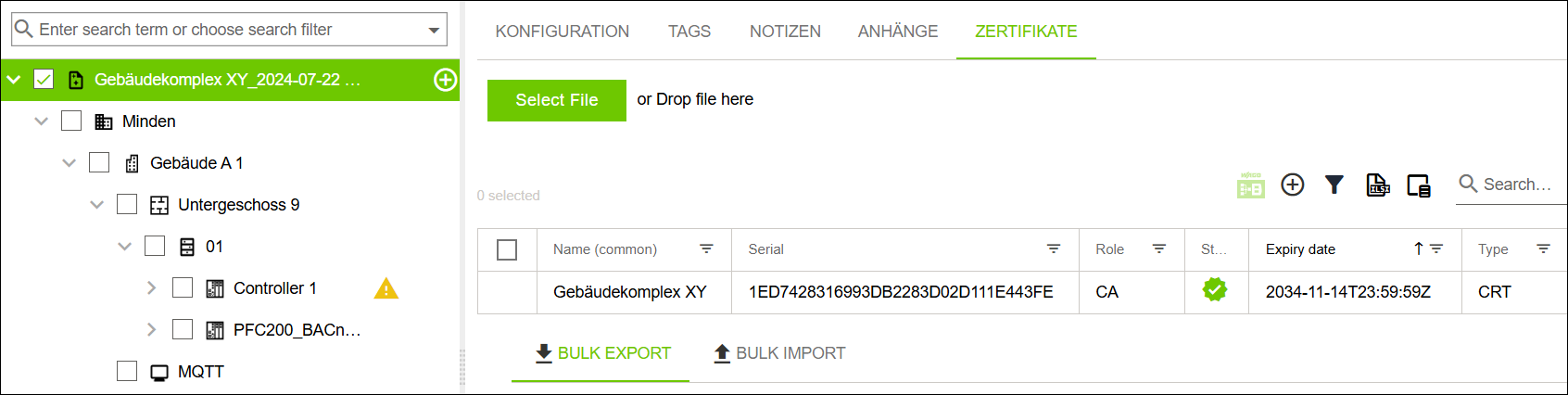
- Select the root element in the tree structure.
- Click the “CERTIFICATES” tab.
- Click [+] to create a new certificate.
- The “Generate New Certificate” dialog opens.
- Select Certificate Authority from the “Role” drop-down menu.
- Click [Generate].
- Create a “Node” entity in the tree structure to form a higher-level communication group.
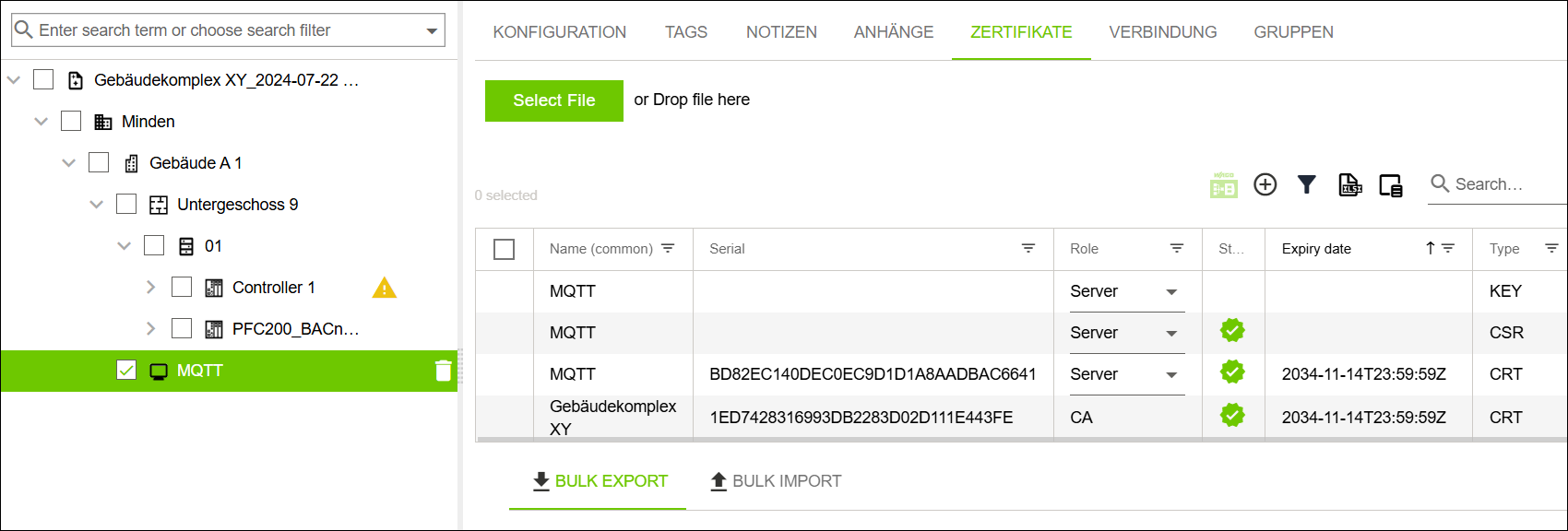
- Name this communication group “MQTT.”
- Click the “CERTIFICATES” tab.
- Click [+] to create a new certificate.
- The “Generate New Certificate” dialog opens.
- From the “Role” drop-down menu, select the Server Certificate.
- Click [Generate].
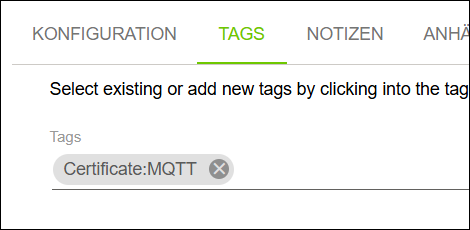
- Click the “Tag” tab.
- Define a new Certificate:MQTT tag.
- The Certificate:MQTT tag is defined in WAGO Solution Builder and assigned to the “MQTT” communication group.
- Assign this tag to all “Controller” entities that should be included in the “MQTT” communication group.
 Note
NoteNewly formed group structure is not visible!
To keep the display manageable, the newly formed group structure is not visible. Nested structures can grow without limit, overloading a central tree structure.
- Use the search if you want to see all elements!
For more information, see “Filter“ Menu Item.
- Use the search if you want to see all elements!
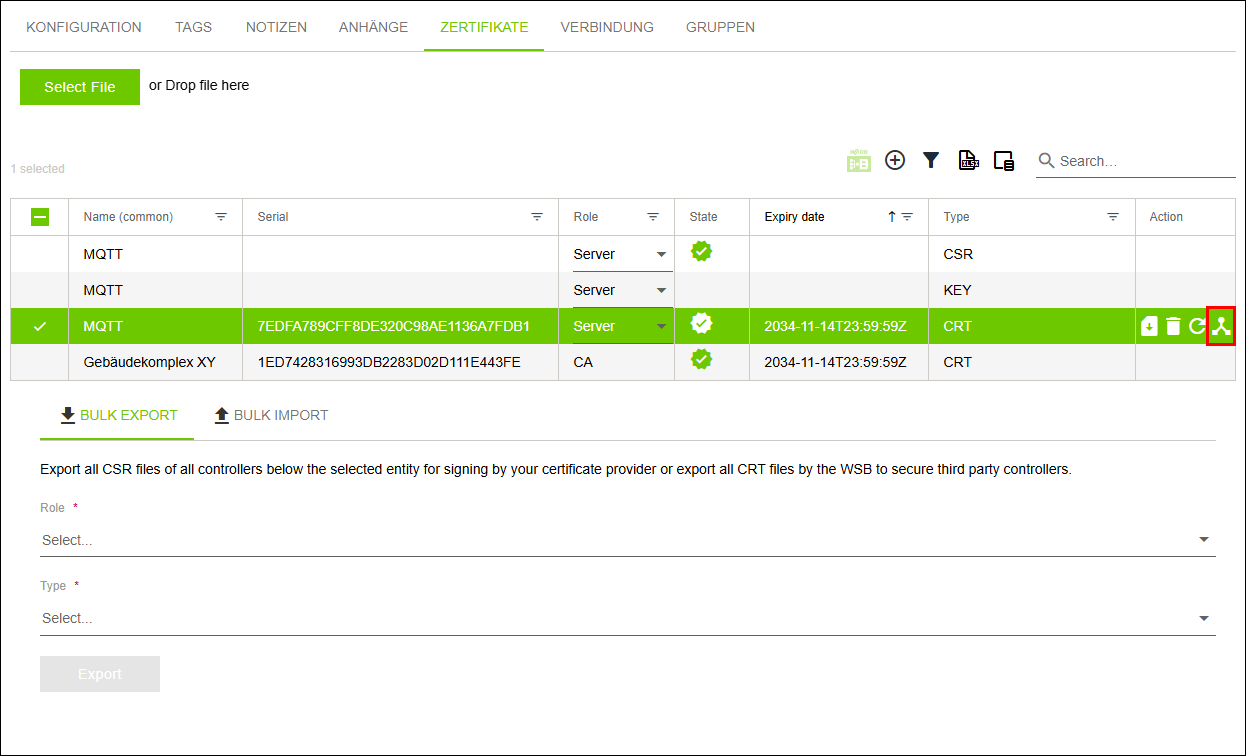
- Select the “MQTT” communication group in the tree structure.
- Click the “CERTIFICATES” tab.
- Select the server certificate (entry of type “CRT”) in the table.
- Click
 .
. - The server certificate is distributed to all entities of type “Controller” that are included in the “MQTT” communication group.