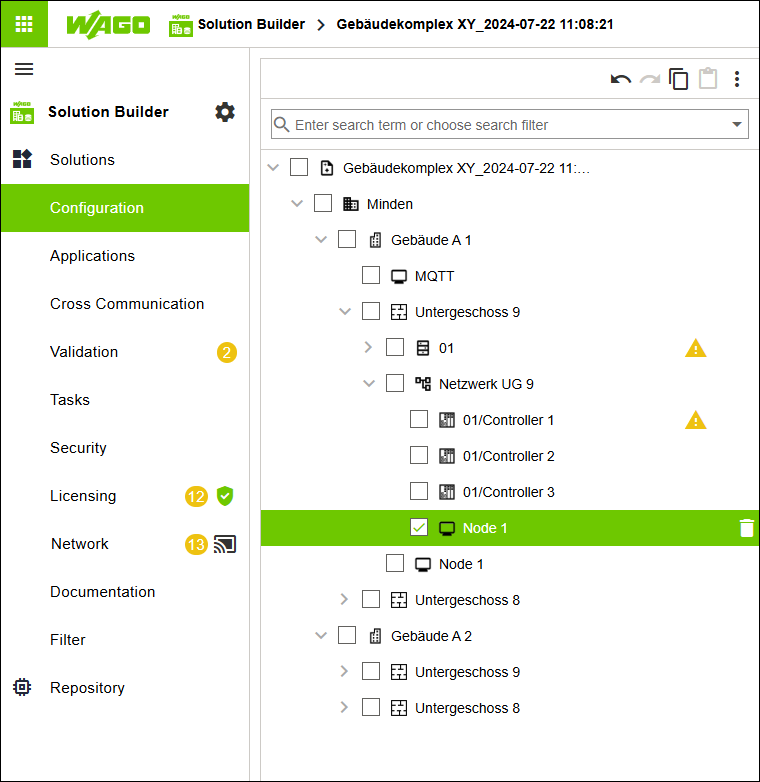
Adding an Entity of Type “Node” to an Existing Network
- In the tree structure, select the first entity of type “Building” and open the structure below it.
- Under the first entity of type “Floor,” create an entity of type “Node.”
- Add this entity of type “Node” to your existing network (see Creating an Initial BACnet/SC Network and Adding Entities Manually).
- Click [Apply].
- All the settings you made are written to the corresponding controllers and nodes.