Defining Mappings for Addressing Systems
- You need to have created an XML file named “AddressingSystemMap.xml”. The file must list and map all entity types and options with the corresponding template IDs and solution IDs (see Defining Mappings for Addressing Systems: Example Structures in the XML File).
- You need to have added an application template to your solution and assigned entities in the tree structure.
- In the “Solutions” menu, click the “Configuration” menu item.
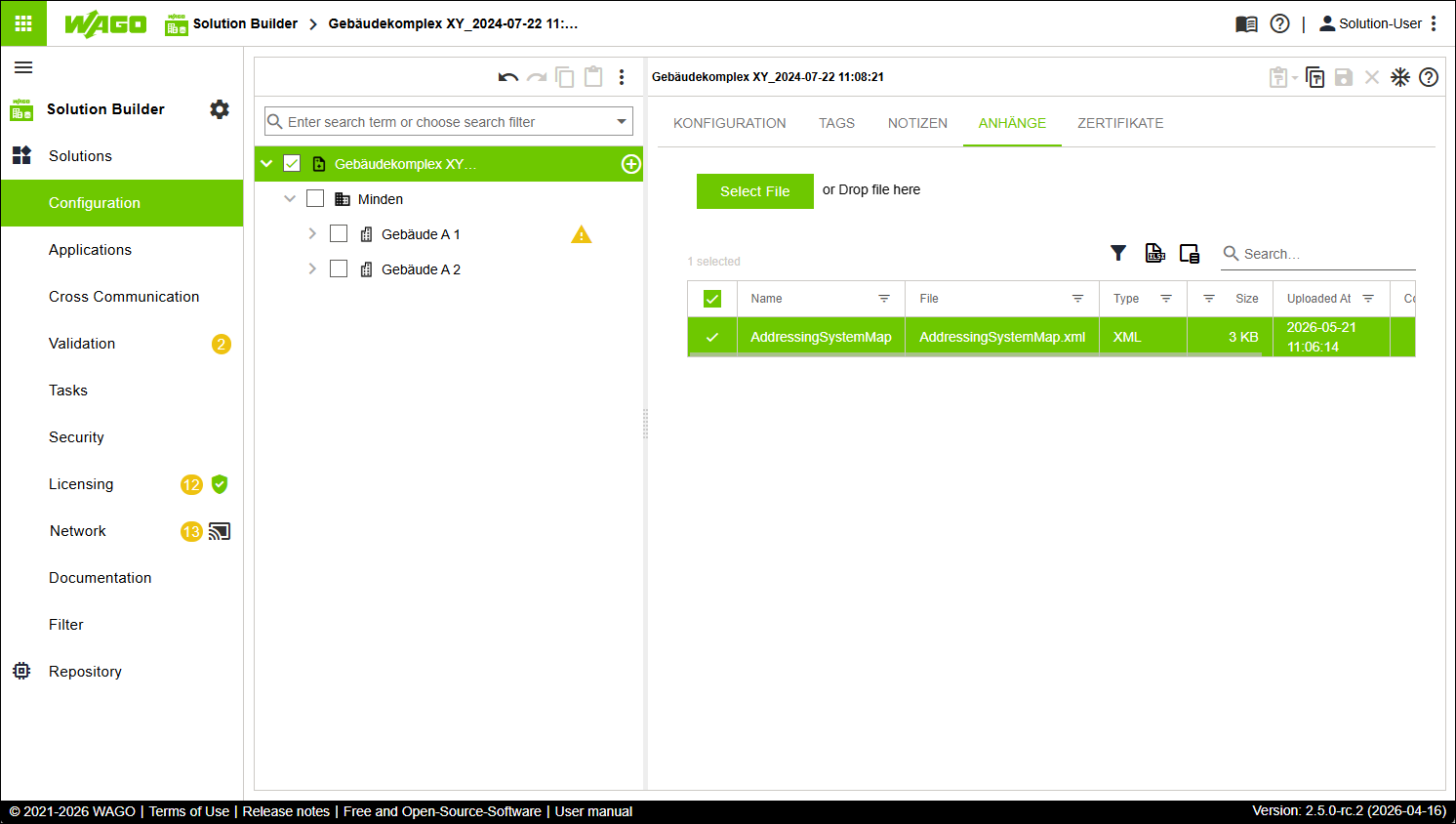
- Select the root element of the tree structure.
- Click the “ATTACHMENTS” tab.
- Click [Select File].
- Select the preconfigured XML file.
- The XML file is attached to the root element.
 Note
NoteFollow the fixed naming convention for filenames!
The preconfigured XML file must have filename “AddressingSystemMap.xml”. No other naming conventions are permitted!
Be sure to follow the naming convention; otherwise the file cannot be mapped!
- Note
The correct mapping is determined by the addressing system used!
The addressing system used (target structure) provides the basis for correct mapping. The addressing system must include, without exception, all entity types used in the application template to import. If an entity type is missing, an error message appears.
Therefore, check in advance whether the addressing system used includes all entity types to be mapped from the XML file!