Editing Application Template in CODESYS
- You have imported planning data and generated an Application Template from it (see Importing Planning Data and Generating Application Template).
- In the “Solutions” menu, click the “Applications” menu item.
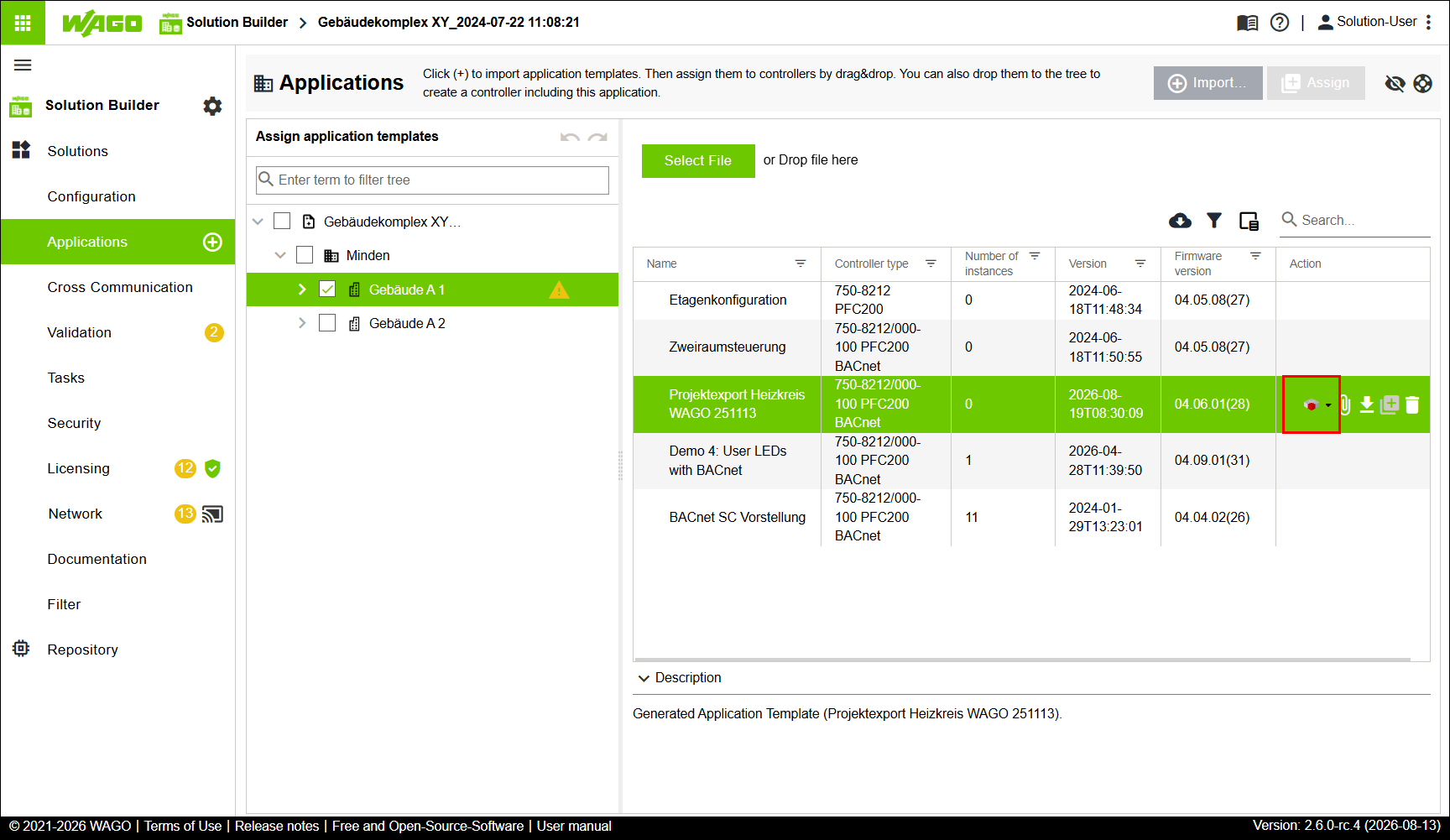
- Select the generated Application Template (in the example shown the file Projektexport Heizkreis WAGO 251113).
- Click [Edit CODESYS Project].
- The software CODESYS opens.
- Adapt the Application template in the software CODESYS to your individual preferences and requirements.
- Click File > Save Project.
- The project is saved.
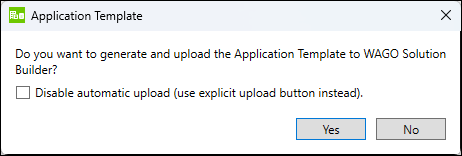
- The “Application Template” dialog appears.
The dialog asks whether a new version of the Application Template should be generated from the changes made. - Click [Yes].
- A new version of the Application Template is generated and uploaded to the software WAGO Solution Builder.
- In the software WAGO Solution Builder, the new version is arranged hierarchically beneath the original version and highlighted in orange.
- Select the new version (displayed in orange) of the Application Template.
- Click
 .
. - The versions are merged.
- The updated version of the Application Template replaces the original version of the Application Template.