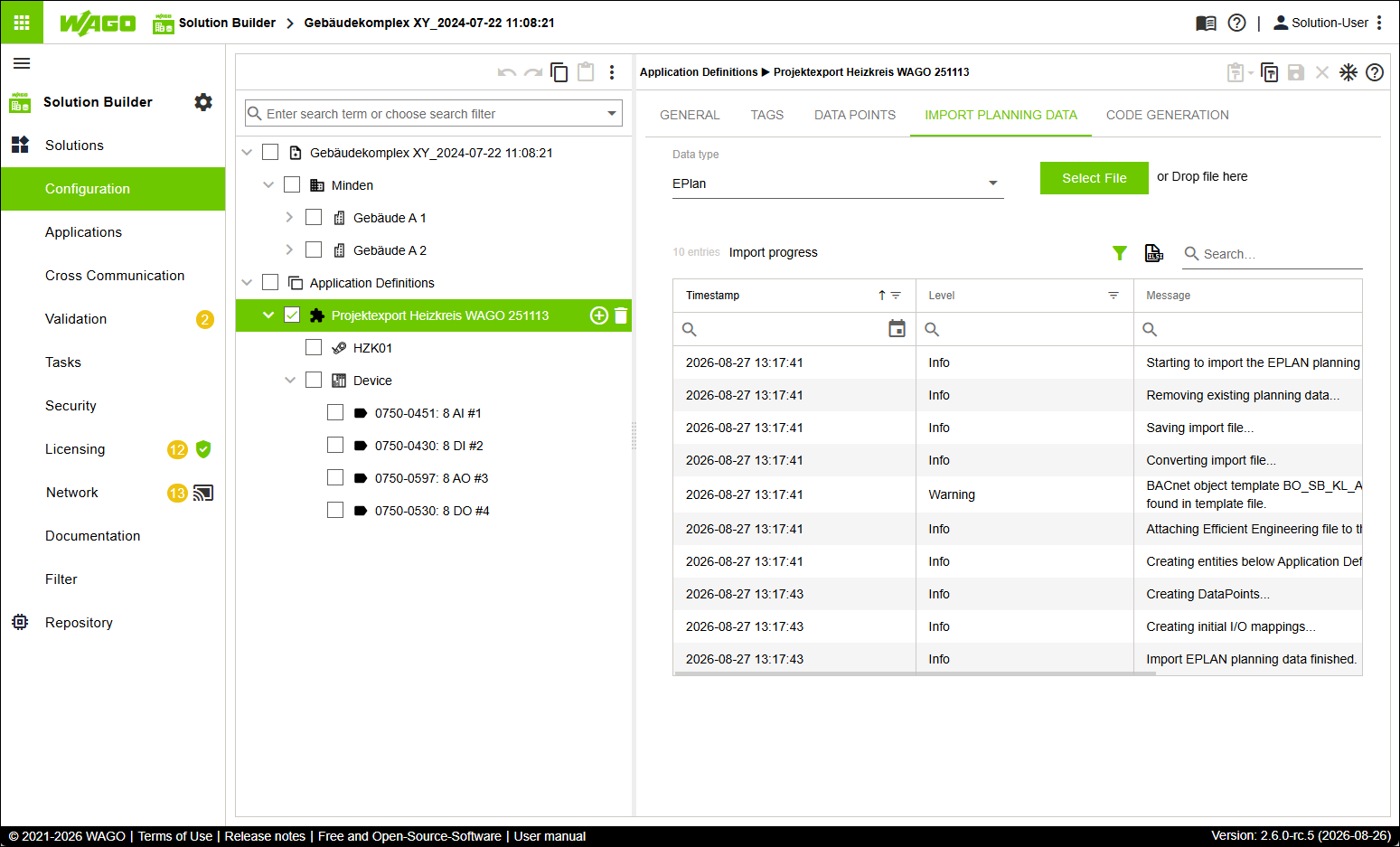
Re-Importing Planning Data and Overwriting Existing Structure
- You have imported planning data and generated an Application Template from it (see Importing Planning Data and Generating Application Template).
- In the tree structure, select the “Application Definition” entity.
- Click the “IMPORT PLANNING DATA” tab.
- Click [Select File].
- Upload the file that you exported from the planning software (in the example shown, the file Projektexport Heizkreis WAGO 251113.xlsx).
- The existing tree structure under the root element “Application Definitions” is overwritten. All structural changes from the software CODESYS as well as the generated Application template remain unaffected by this and are not updated.