Structurally Extending the “Application Definition” Entity
- You have imported planning data and generated an Application Template from it (see Importing Planning Data and Generating Application Template).
- In the tree structure, select the first entity of type “Controller” and open the structure below it.
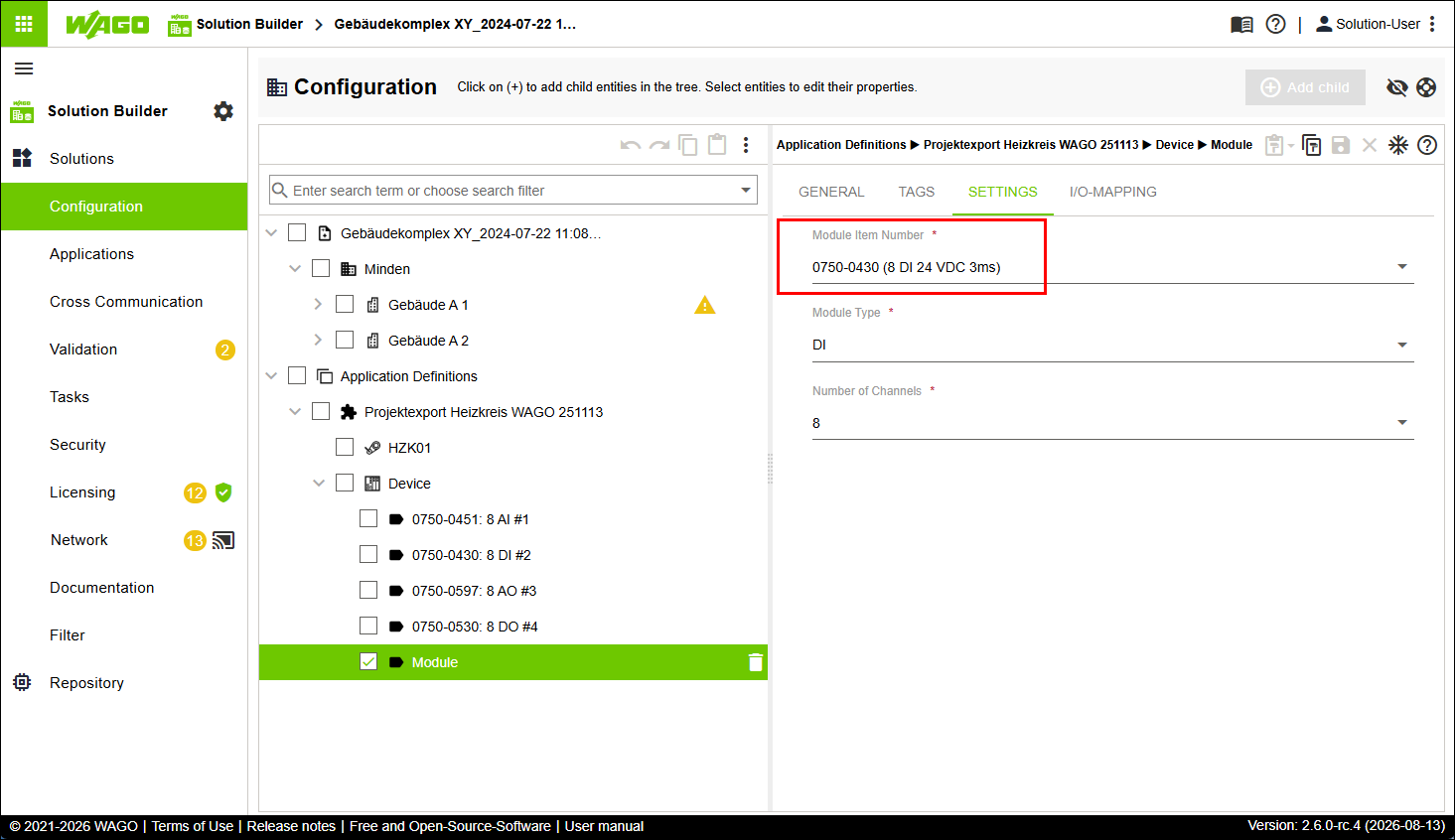
- Create an entity of type “I/O module” in the tree structure.
- Click the “SETTINGS” tab.
- Select the item number of the corresponding I/O module you want to create from the “Module item number” selection box.
- The selection fields “Module Type” and “Number of Channels” populate depending on context.
- Alternative approach: You can also fill all selection fields manually. For this, the values entered must be correct and must match the information in the software CODESYS.
- Click the “GENERAL” tab.
- In the input field “Controller Name”, enter a suitable name that is structurally and terminologically consistent with the existing entities.
- Click [Save].
- Carry out the steps described in the following section Mapping and Assigning Data Points.